


Choose Output Format
Converting your Movie Film to digital is easy with Larsen Digital. With our order form, you can select whether you want your video files saved to DVD or BluRay, enabling you to watch your movie film on your TV.
If you want to watch a DVD on your TV, then you will want to order an DVD. If you have a Blu-Ray player and want a Blu-Ray disc you will want to order a High Definition Transfer & have it saved onto a Blu-Ray. As an optional choice, you can get the digital video file where it can be edited and shared online.
FREE Standard Definition DVD 720x480
With all movie film orders you will receive your first set of DVD's for free. This DVD will play on your TV and will contain all the footage from your film. Your disc will have chapter markers to make skipping through your DVD faster & easier. It does not include editing of the film (unless you have ordered advanced color correction) and does not include a menu.
Contact us if you would like to have a custom DVD that has a menu with a title, background music, title pages to announce a new chapter, chapter markings, reel leader trimmed out, edit out unwanted portions of video, include still photos (digital images) in video, captions or special requests not mentioned here. Just email us at info@larsendigital.com , and describe your project, what you would like included and we can create a custom price for you.
High Definition Blu-Ray 1080x1920 - (1080p)
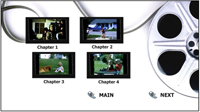
HD Blu-Ray Menu
16:9 Menu
5 Minute Chapters
Thumbnail picture per chapter
Start on any chapter
To add a Blu-Ray to your order it will add for every 2 hours of video.
Optional Custom Menu, Chapter Title Screens & leader trimmed out.
MP4 Video File Options
We offer the following file formats for movie film transfers:
High Definition 1080p HD
1080x1920 16:9 MP4 transferred to external hard drive.
Standard Definition
16:9 Wide Screen with black bars on each side to maintain aspect ratio
Storage Options
Video Files can be saved to an external hard drive or thumb drive or downloadeds.
You can download all your movie film for per GB.
Save to a disc: per disc.
Save ALL files to Thumb Drive: $20 .
Digital Images from Movie Film
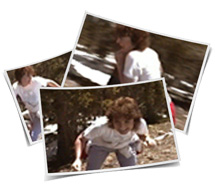
Create Digital Images from Your Movie Film
Watching your home movies on your TV or computer is always a fun, emotional experience.
Now you can capture those individual moments and frame them for everyone to see by having us provide digital images from your movie film video.
Digital Photos are 720x480 from SD transfers
or 1920x1080 from HD transfers.
We can create still images from your movie film using a wide range of capture timing; meaning that we can save every frame, or one frame every second, or one frame every 5 seconds, or anything you want.
Just call us to discuss your options.
Questions ?
Toll Free 1-800-776-8357
Local 801-782-5155
